
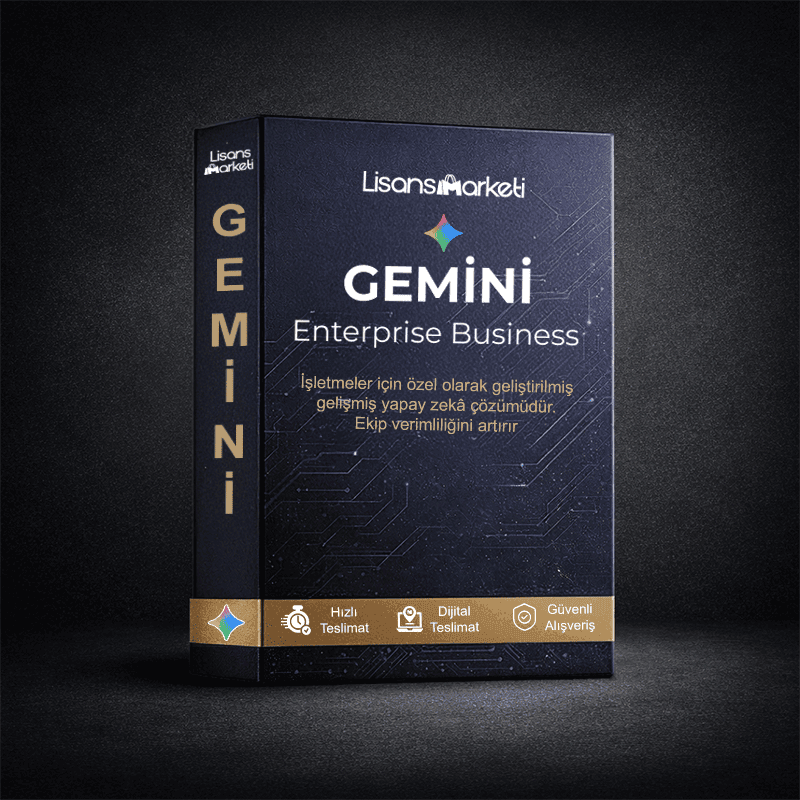
Gemini Enterprise Business
search
  • Gemini Enterprise Business

Gemini Enterprise Business

₺149.99
Tax included

Product customization

Don't forget to save your customization to be able to add to cart
Subscription Period: 1 Month
Quantity

Stok
1 Item
Delivery
Invitation via Email
Guarantee
1 Month

FAQs

  • Windows 11 Pro Instructions (Phone Activation - Online Activation)

    PHONE ACTIVATION INSTRUCTIONS:

    • Make sure your computer is connected to the internet and up to date.
    • Right-click on the "This PC" icon on the desktop → go to "Properties".
    • In the screen that opens, find and click on "Change product key" or "Enter license key" option.
    • Enter your license key in the box.
    • It is normal to receive error code 0xc004c008 at this stage.
    • Close the error screen and type "Run" in the Start menu to open Run.
    • Type SLUI 4 in the Run window and press Enter.
    • Select a random region in the window that opens and click next.
    • A long installation ID (ID number) will appear.
    • Go to aka.ms/aoh in your browser, log in with your account and open the Windows activation option.
    • Enter the long numbers (installation ID) displayed on your computer in the spaces on the site and follow the instructions.
    • The system will give you a confirmation code. Take a photo of this code and then enter it in the boxes on your computer in order.
    • Complete the activation after entering the codes.
    • If it gives an error after entering the code, it will be licensed when you close and reopen.

    Phone Activation Compensation Situation:

    If you receive a 0xC004C060 error on phone activation Windows products, you can get compensation by submitting your Order ID, Key and Screenshot.


    ONLINE ACTIVATION INSTRUCTIONS:

    • Before starting the process, make sure your computer is connected to the internet and all updates have been made.
    • Right-click on My Computer and click properties.
    • Find and click the "Change product key" or "Enter license key" button.
    • Enter the license key in the box and complete the activation.

    Online Activation Compensation Situation:

    If you receive a 0xC004C060 or 0xC004c008 error on online activation Windows products, you can get compensation by submitting your Order ID, Key and Screenshot.


    Attention:

    Only error codes 0xC004C060 - 0xC004c008 are license related. No other error codes are product related. No compensation will be provided for different error codes.

  • Windows 10 Pro Instructions (Phone Activation - Online Activation)

    PHONE ACTIVATION INSTRUCTIONS:

    • Make sure your computer is connected to the internet and up to date.
    • Right-click on the "This PC" icon on the desktop → go to "Properties".
    • In the screen that opens, find and click on "Change product key" or "Enter license key" option.
    • Enter your license key in the box.
    • It is normal to receive error code 0xc004c008 at this stage.
    • Close the error screen and type "Run" in the Start menu to open Run.
    • Type SLUI 4 in the Run window and press Enter.
    • Select a random region in the window that opens and click next.
    • A long installation ID (ID number) will appear.
    • Go to aka.ms/aoh in your browser, log in with your account and open the Windows activation option.
    • Enter the long numbers (installation ID) displayed on your computer in the spaces on the site and follow the instructions.
    • The system will give you a confirmation code. Take a photo of this code and then enter it in the boxes on your computer in order.
    • Complete the activation after entering the codes.
    • If it gives an error after entering the code, it will be licensed when you close and reopen.

    Phone Activation Compensation Situation:

    If you receive a 0xC004C060 error on phone activation Windows products, you can get compensation by submitting your Order ID, Key and Screenshot.


    ONLINE ACTIVATION INSTRUCTIONS:

    • Before starting the process, make sure your computer is connected to the internet and all updates have been made.
    • Right-click on My Computer and click properties.
    • Find and click the "Change product key" or "Enter license key" button.
    • Enter the license key in the box and complete the activation.

    Online Activation Compensation Situation:

    If you receive a 0xC004C060 or 0xC004c008 error on online activation Windows products, you can get compensation by submitting your Order ID, Key and Screenshot.


    Attention:

    Only error codes 0xC004C060 - 0xC004c008 are license related. No other error codes are product related. No compensation will be provided for different error codes.

  • Windows 10 Home Instructions (Phone Activation - Online Activation)

    PHONE ACTIVATION INSTRUCTIONS:

    • Make sure your computer is connected to the internet and up to date.
    • Right-click on the "This PC" icon on the desktop → go to "Properties".
    • In the screen that opens, find and click on "Change product key" or "Enter license key" option.
    • Enter your license key in the box.
    • It is normal to receive error code 0xc004c008 at this stage.
    • Close the error screen and type "Run" in the Start menu to open Run.
    • Type SLUI 4 in the Run window and press Enter.
    • Select a random region in the window that opens and click next.
    • A long installation ID (ID number) will appear.
    • Go to aka.ms/aoh in your browser, log in with your account and open the Windows activation option.
    • Enter the long numbers (installation ID) displayed on your computer in the spaces on the site and follow the instructions.
    • The system will give you a confirmation code. Take a photo of this code and then enter it in the boxes on your computer in order.
    • Complete the activation after entering the codes.
    • If it gives an error after entering the code, it will be licensed when you close and reopen.

    Phone Activation Compensation Situation:

    If you receive a 0xC004C060 error on phone activation Windows products, you can get compensation by submitting your Order ID, Key and Screenshot.


    ONLINE ACTIVATION INSTRUCTIONS:

    • Before starting the process, make sure your computer is connected to the internet and all updates have been made.
    • Right-click on My Computer and click properties.
    • Find and click the "Change product key" or "Enter license key" button.
    • Enter the license key in the box and complete the activation.

    Online Activation Compensation Situation:

    If you receive a 0xC004C060 or 0xC004c008 error on online activation Windows products, you can get compensation by submitting your Order ID, Key and Screenshot.


    Attention:

    Only error codes 0xC004C060 - 0xC004c008 are license related. No other error codes are product related. No compensation will be provided for different error codes.

  • Windows 11 Home Instructions (Phone Activation - Online Activation)

    PHONE ACTIVATION INSTRUCTIONS:

    • Make sure your computer is connected to the internet and up to date.
    • Right-click on the "This PC" icon on the desktop → go to "Properties".
    • In the screen that opens, find and click on "Change product key" or "Enter license key" option.
    • Enter your license key in the box.
    • It is normal to receive error code 0xc004c008 at this stage.
    • Close the error screen and type "Run" in the Start menu to open Run.
    • Type SLUI 4 in the Run window and press Enter.
    • Select a random region in the window that opens and click next.
    • A long installation ID (ID number) will appear.
    • Go to aka.ms/aoh in your browser, log in with your account and open the Windows activation option.
    • Enter the long numbers (installation ID) displayed on your computer in the spaces on the site and follow the instructions.
    • The system will give you a confirmation code. Take a photo of this code and then enter it in the boxes on your computer in order.
    • Complete the activation after entering the codes.
    • If it gives an error after entering the code, it will be licensed when you close and reopen.

    Phone Activation Compensation Situation:

    If you receive a 0xC004C060 error on phone activation Windows products, you can get compensation by submitting your Order ID, Key and Screenshot.


    ONLINE ACTIVATION INSTRUCTIONS:

    • Before starting the process, make sure your computer is connected to the internet and all updates have been made.
    • Right-click on My Computer and click properties.
    • Find and click the "Change product key" or "Enter license key" button.
    • Enter the license key in the box and complete the activation.

    Online Activation Compensation Situation:

    If you receive a 0xC004C060 or 0xC004c008 error on online activation Windows products, you can get compensation by submitting your Order ID, Key and Screenshot.


    Attention:

    Only error codes 0xC004C060 - 0xC004c008 are license related. No other error codes are product related. No compensation will be provided for different error codes.

Yorumlar

Henüz yorum yapılmamış.

Sadece bu ürünü satın alan müşteriler yorum yapabilir.